Communication
The following figure presents a short sequence of communication initialization protocol :
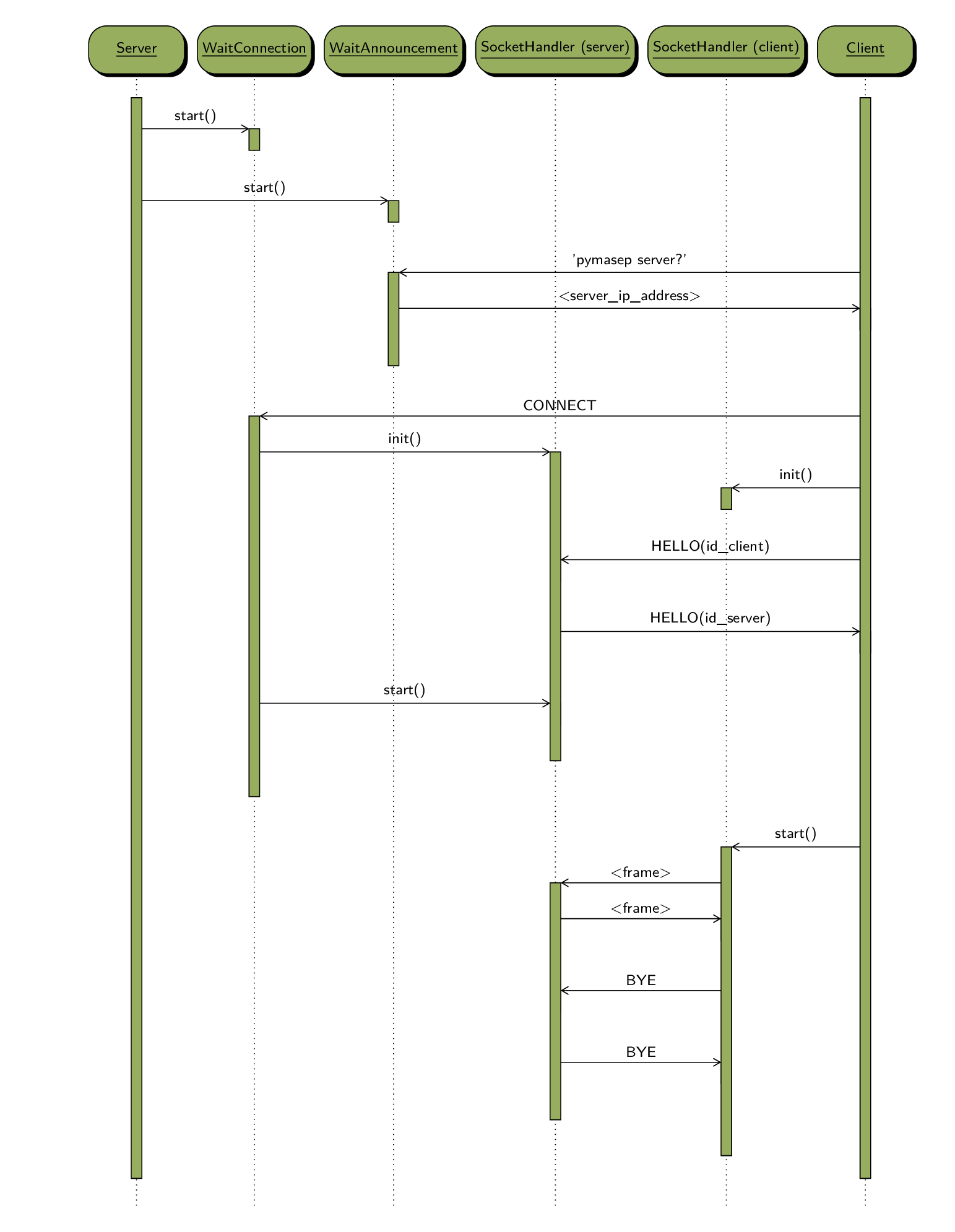
First of all, the server starts a WaitConnection thread and a WaitAnnouncement thread. The client (in another process or even on other computers) connect to the server through the socket handled by the WaitConnection thread. At this moment, a SocketHandler thread is initialized by the server to handle this new connection with this particular client. The client initialized also a SocketHandler thread and send a HELLO frame with its ID and the server respond with its own ID. The server and the client start their own SocketHandler thread. The initialization is complete and the communication can start with frames and messages. The communication is closed when the client sends a BYE frame to the server.
Announcement
For the client to communicate to the server, it must know the address/port pair. To simplify the search, the server also starts a WaitAnnouncement thread. This thread listens to a multicast group (224.3.29.71:10000) and answer each client the server address and port. Once the client knows the server address (using Client.search_server()), it can connect and start the communication as described previously.
Firewall
In order to work on a LAN, the following ports must be opened on the firewall : 10000/UDP (for announcement), 60000/TCP (communication between server and external clients).
Frames and Messages
A Frame is defined at TCP level. At application level, a Frame contains a Message (as XML in byte stream). The sequence of messages is described in the following figure.
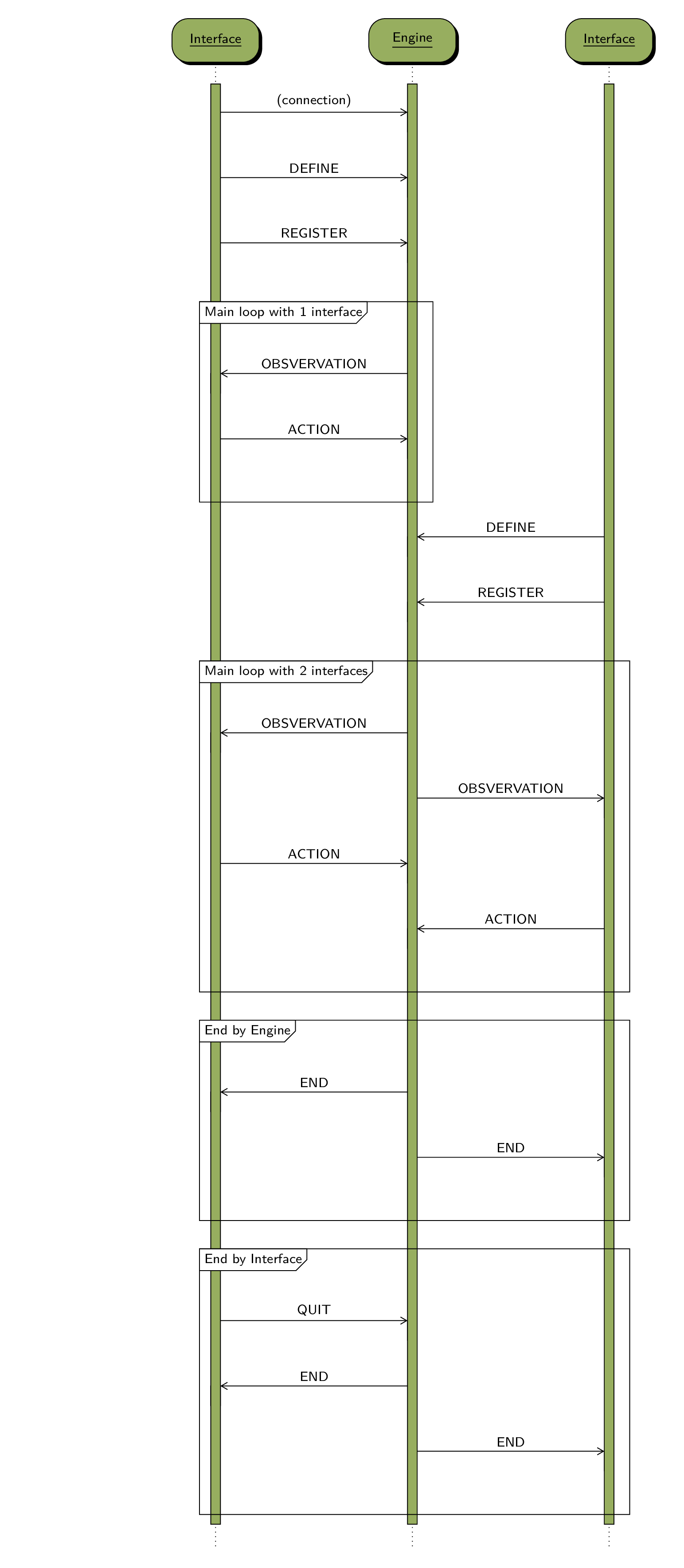
First, the interface connects to the Engine following the previous protocol to connect to Engine. Then, the interface sends a DEFINE message with the name of the Environment class to the Engine. When the Engine receive this message, it initializes the environment. Only the first interface that sends the DEFINE message is taking into account by the Engine.
Then, the Interface sends a REGISTER message, with the interface id, the interface queue_id and a Role (OBSERVER, ACTOR, see ConnectedSubAppInfo)
Then the main loop starts with a succession of OBSERVATION and ACTION message send respectively but the Engine and the Interface (if it as the ACTOR Role). The OBSERVATION message contains the part of the observable environment and the ACTION contains the type of the ACTION, and its parameters.
A new interface can register at any time with the REGISTER MESSAGE. In this case, the observation is sent to all Interfaces and the Engine received the ACTION. The way of handling the ACTION messages depends on the game coordination method. At the moment, two methods have been implemented : MULTIPLAYER_COORDINATION_TURN, when the Engine takes into account only the Action of the Interface whose turn it is and MULTIPLAYER_COORDINATION_WAITING_ALL, where the Engine wait for all Agent action before continuing.
The end of the loop may be initiated by Engine (the game is finished) by sending END message to all interface. Or it can be init initiated by Interface if the player decides to quit. In this case, the interface sends a QUIT message and the engine broadcast an END message to all interfaces.